
Connect-AzAccount and my own silent token function use the Microsoft built in client ID of “1950a258-227b-4e31-a9cf-717495945fc2”.
The resulting token has some openID scopes and most backend calls use RBAC, but I wanted to experiment by adding OAuth2 permissions and app roles to it so I can use the context/cached refresh token to also call other Microsoft API’s.
I discovered that this can be done by adding the client to your AzureAD as an SPN (Enterprise Application):
$spn = New-AzureADServicePrincipal -AppId "1950a258-227b-4e31-a9cf-717495945fc2" -DisplayName "Microsoft Azure PowerShell"
Since this is Microsoft owned app, you’ll actually see that show up in AzureAD:
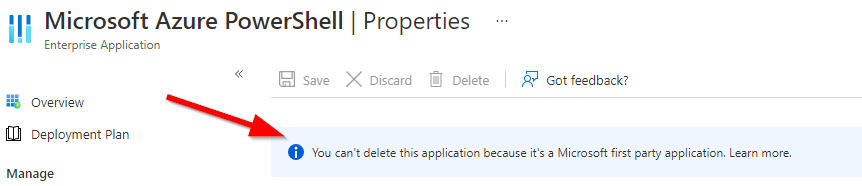
Next, we can add the AuditLog.Read.All permission to the local instance of this app ($spn), this is a Graph permission, so we first need to get the resourceId of graph in our tenant:
$GraphServicePrincipal = Get-AzureADServicePrincipal -Filter "appId eq '00000003-0000-0000-c000-000000000000'"
Then we prepare our post body for the Graph API to add the AuditLog.Read.All permission to Microsoft Azure PowerShell:
        $patchBody = @{
            "clientId"= $spn.ObjectId
            "consentType"= "AllPrincipals"
            "principalId"= $Null
            "resourceId"= $GraphServicePrincipal.ObjectId
            "scope"= "AuditLog.Read.All"
            "expiryTime" = "2022-05-05T09:00:00Z"
        }
Then we’ll grab a token for the Graph API:
$token = get-azResourceTokenSilentlyWithoutModuleDependencies -userUPN myupn@lieben.nu
And call Graph to add the permission to our local instance of Microsoft Azure PowerShell:
Invoke-RestMethod -Method POST -body ($patchBody | convertto-json) -Uri "https://graph.microsoft.com/beta/oauth2PermissionGrants" -Headers @{"Authorization"="Bearer $token"} -ContentType "application/json"
Any future tokens you grab for graph.microsoft.com using 1950a258-227b-4e31-a9cf-717495945fc2 as clientId will now contain the AuditLog.Read.All scope as well;
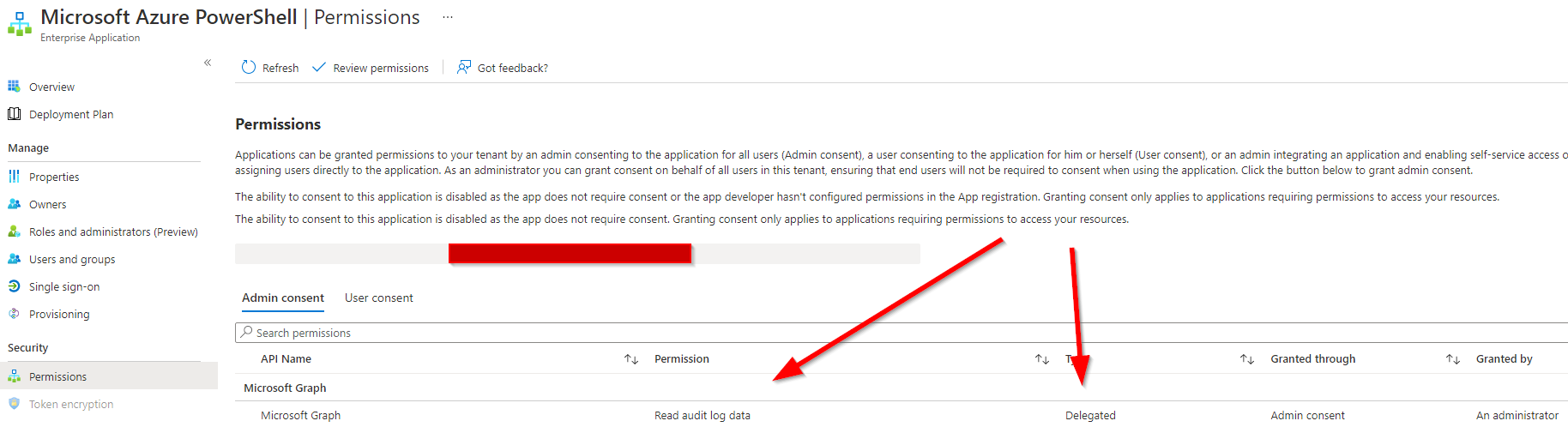
You should also be able to add approles, but since (hopefully) only Microsoft has the client credentials, they won’t do much.
Inspired by a question PrzemyslawKlys asked me 🙂
Just further evidence why all roles that create such SPN’s must do MFA and PIM and these SPN/API permission tightly monitored audited and additions or changes immediately investigated
Got super excited when I saw this blog post. However, when I tried it today, with “Application.ReadWrite.All” delegated MS Graph permissions, it no longer seemed to work. Could you confirm that as well from your end Mr. Lieben ?