Huge permissions overhaul and reduction, a nice case of practice what you preach we finally got around to 🙂

Huge permissions overhaul and reduction, a nice case of practice what you preach we finally got around to 🙂
Changes:
Ps gallery: https://www.powershellgallery.com/packages/M365Permissions/
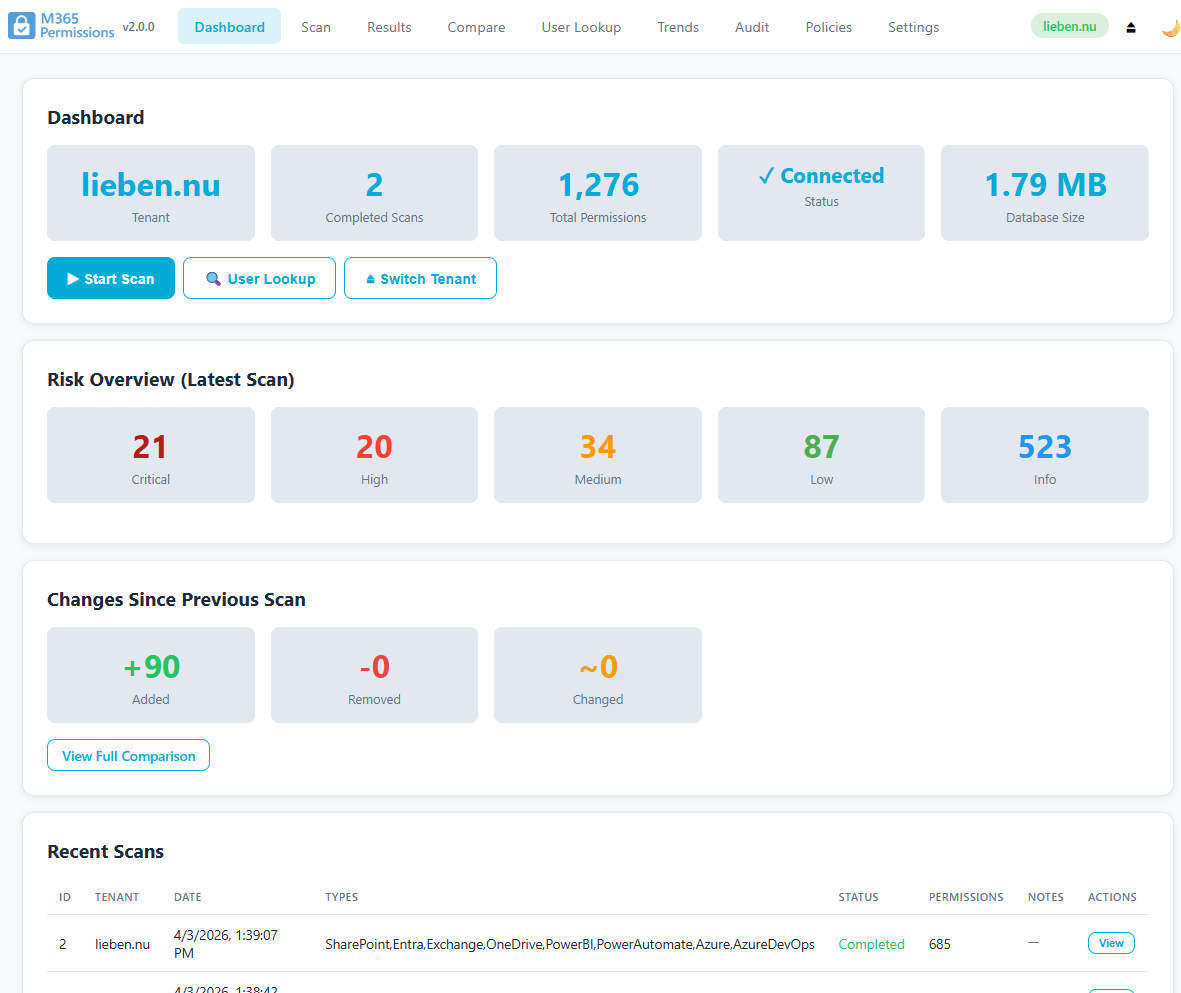
The M365Permissions free PowerShell module has been updated with a brand new GUI!
I’ll let you check it out for yourself 🙂
For M365Permissions I wanted to categorize service principals in an actually useful way.
This is what I came up with so far
    function get-servicePrincipalType{
        Param(
            [Parameter(Mandatory=$true)][object]$spn
        )

        #managed identities are simple :)
        if($spn.servicePrincipalType -eq "ManagedIdentity"){
            return "ManagedIdentity"
        }

        #other SPN's can be hosted by us, by Microsoft or by a third party
        #Although 9188040d-6c67-4c5b-b112-36a304b66dad is also officially Msft, it contains consumer apps not built or vetted by Microsoft thus we treat it as third party
        if($spn.appOwnerOrganizationId -in ("f8cdef31-a31e-4b4a-93e4-5f571e91255a","72f988bf-86f1-41af-91ab-2d7cd011db47","7579c9b7-9fa5-4860-b7ac-742d42053c54")){
            return "MicrosoftApplication"
        }elseif($spn.appOwnerOrganizationId -eq <YOURTENANTID>){
            #this is either a homebrew app or an AI agentic app
            if($spn.tags -and ($spn.tags -contains "AgenticApp" -or $spn.tags -contains "AIAgentBuilder")){
                return "AiAgent"
            }else{
                return "InHouseApplication"
            }
        }else{
            return "ThirdPartyApplication"
        }
    }

The Azure Retail Prices API does not give correct prices for SPOT VM’s (which can change at any time).
As I use SPOT VM’s a lot to scan largers tenants with M365Permissions to avoid throttling and get results FAST, I needed a reliable way to get the lowest priced F-series VM to temporarily finish a scan queue before getting discarded again.
I created an initial function using the ‘hidden’ retail billing API which calls the ‘https://s2.billing.ext.azure.com/api/Billing/Subscription/GetSpecsCosts?SpotPricing=true’ endpoint.
My post on Linked then got some advice Morten which I now finally got around into creating a function for, using an official instead of ‘hidden’ API!
This resulted in the Get-VmSpotPrices function, which I’m sharing for free through Github:
https://github.com/jflieben/assortedFunctionsV2/blob/main/Get-VmSpotPrices.ps1