What does it do?
The M365Permissions PowerShell module creates a 360° view of permissions individual users have (including guests).
When run again later, it also shows all changed permissions!
What resources are supported?
- Azure subscriptions (and contents)
- Onedrive For Business (sites/lists)
- Sharepoint Online (sites/lists)
- Teams (sites/lists)
- EntraID admin & PIM roles
- EntraID group ownership & membership
- EntraID object ownership
- EntraID hidden webhooks
- EntraID service principals
- EntraID applications
- EntraID devices (incl CloudPC)
- Exchange Admin Roles
- Exchange Send On Behalf rights
- Exchange mailbox rights
- Exchange subfolders
- Exchange Send As rights (incl non-mailbox objects)
- PowerBI reports & datasets
- PowerBI gateways & warehouses
- PowerPlatform PowerApps
- PowerPlatform Flows
- Azure DevOps roles
Example output


Limitations
The PS module runs on your machine and requires PowerShell 7+ and .NET 8. Running locally means your tokens/credentials never leave your environment.
Of course, this also limits your scan speed to e.g. your cpu/memory/bandwidth. If you have thousands of users, I recommend using the Azure native version of M365permissions.
Authentication / Access rights
The Entra Delegated Permission Flow ensures your credentials/tokens stay with you and are never seen by me.
Depending on what you scan, different permissions are required. On first run or after module upgrades you’ll be prompted to accept all potentially required permissions.
Result
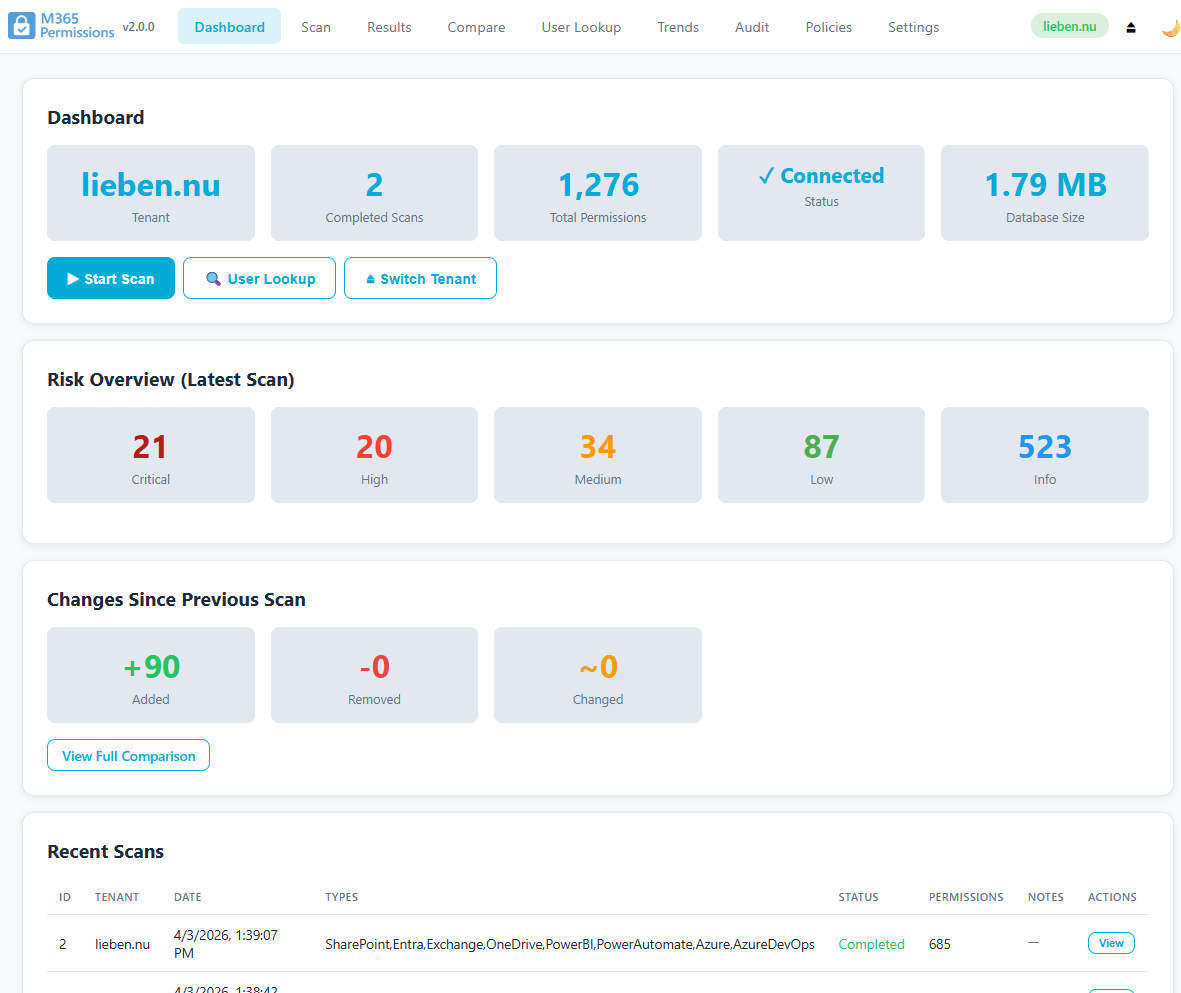
The module exports to Excel by default (CSV is optional), and of course has a full GUI.
Diff (change detection)
Once you have data from multiple runs, they can be compared in the GUI.
Performance
The module uses the fastest API’s available and by default 5 concurrent threads for the most time consuming parts (ExO and SpO).
if these are too slow, use the azure native version of this tool.
Throttling does not cause most scans to fail, it just increases the time until completion. Since the different commands use different API’s and are throttled separately by Microsoft, running them concurrently is supported and faster.
Install & run
Install-Module -Name M365Permissions -Force
Import-Module -Name M365Permissions
This will open your browser as GUI to the tool.
Issues and Feature requests
Please use Github to report issue or create feature requests.
Final notice
As always, run the tool at your own risk. It mostly just reads data, but if you run it as Sharepoint Administrator, it will add you as Owner to sites you weren’t yet so it can scan them, and will then remove you again (even if the scan fails).