Because I couldn’t quickly find a good script/tool to make a report of my Public Folders that includes a complete drilldown including if they’re mail enabled, what email addresses it has, who has rights on the folder and what size the folders are, I’m sharing this script with you 🙂
Edit: added support for Exchange 2010, uncomment the correct section and comment the 2007 code if you run this on 2010.
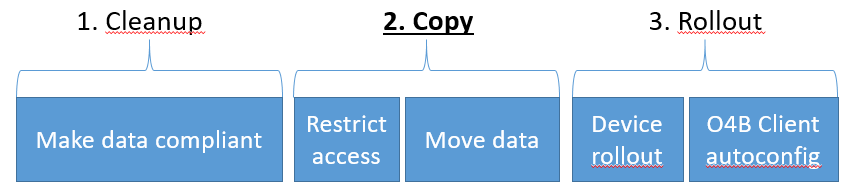
This is the second post in a series about moving to Onedrive for Business and/or Sharepoint Online from traditional fileshares and/or homedirectories, in bulk, without user interaction.
Many of my employer’s clients are transitioning to a Cloud First IT model. Think triple A, work anywhere, anytime, anyplace.
In the previous post, we’ve talked about requirements, making your data compliant and essentially preparing your environment for migration. Now that you’ve done that, your data should be in a more or less consistent state, it’s time to move it to the cloud!
A warning though, calendar permissions in Exchange Online can easily become corrupted. I’ve been in touch with support several times, but their only fix is to tell the user to remove and reapply the permissions, which is a sure way to annoy your users during migration.
This powershell snippet will tell you which mailbox is actively forwarding email, in what method (dual delivery or pure forwarding), to which email address and if the corresponding contact still exists and is active.
#Module name: findForwarderDetails
#Author: Jos Lieben (OGD)
#Date: 01-04-2016
#Description: this snippet will discover all active forwarders in your organization, and will print the original mailbox, target contact and target address and forwarding method

$output = @()
$mailboxes = Get-Mailbox -ResultSize Unlimited | Where {$_.ForwardingAddress -ne $Null}

foreach ($mailbox in $mailboxes){

    $obj = New-Object PSObject
    $obj | Add-Member NoteProperty mailboxName($mailbox.DisplayName)
    if($mailbox.DeliverToMailboxAndForward){
        $obj | Add-Member NoteProperty forwardingMode("Dual delivery")
    }else{
        $obj | Add-Member NoteProperty forwardingMode("Forward Only")
    }
    try{
        $contact = Get-MailContact -Identity $mailbox.ForwardingAddress.DistinguishedName -ErrorAction Stop
        $obj | Add-Member NoteProperty forwardingToName($contact.DisplayName)
        $obj | Add-Member NoteProperty forwardingToEmail($contact.ExternalEmailAddress)
    }catch{
        $obj | Add-Member NoteProperty forwardingToName("CONTACT DOES NOT EXIST OR IS DISABLED")
        $obj | Add-Member NoteProperty forwardingToEmail("CONTACT DOES NOT EXIST OR IS DISABLED")
    }
    $output += $obj
}

Write-Output $output