In some cases, your users might not want to use OnedriveMapper as a logon script, but want to manually start it, or both.
Powershell execution policy, and generally the complexity involved for most users in starting scripts can be avoided by building a ‘smart’ shortcut to the script with the following line as the ‘target’:
%SystemRoot%\System32\WindowsPowerShell\v1.0\powershell.exe -WindowStyle Hidden -ExecutionPolicy ByPass -File “C:\Program Files (x86)\Lieben.nu\OnedriveMapper\OnedriveMapper_v3.17.ps1”
Obviously you’ll have to modify the path used there 🙂
Version 2.47 of OneDriveMapper has been released!
Handle re-auth requests when doing AzureAD SSO
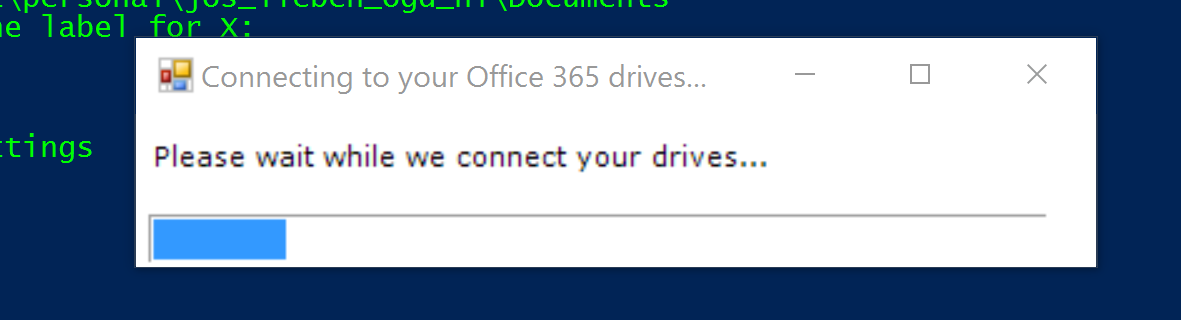
Added a progress bar! How cool is that
Trick the WebDav client into auto-starting when it isn’t, even if the user has no admin permissions
Get the new version here
Version 2.45 of OneDriveMapper has been released!
Better Sharepoint Online cookie generation to avoid error 224 when on a slow internet connection
bugfix in username selection when using ForceUsername
slightly more tolerant ADJoin SSO detection
now adds appropriate websites as wildcard to trusted sites list (when not being forced by a gpo)
Get the new version here
Version 2.42 of OneDriveMapper has been released!
Additional method to look up the user’s username when Azure AD Joined, no longer requires Enterprise State Roaming
Get the new version here
Version 2.41 of OneDriveMapper has been released!
Get the new version here
Posts navigation
Microsoft 365, Azure, Automation & Code