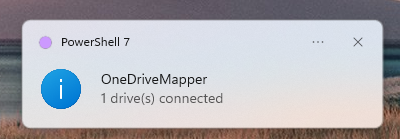
Yes. A new version of OnedriveMapper, who would have thought?
I had this item on my wishlist to get rid of the selenium depedency and the edge web driver. And finally, that time has come! No more dependencies, just vanilla AADJoined Windows 11 is all you need 🙂
Get yourself to https://github.com/jflieben/OnedriveMapperV5 and enjoy!
It runs silently and uses Edge. As long as you’ve configured Edge to do SSO, it’ll follow that.
[…] OnedriveMapper V6 […]
Hi ! i’m using your script in a odd way. it seems to work well until the Edge windows for loggin in pop. i’m using Windows server 2016 not entra joined. SSO is failing (that’s ok) but when the bypass method pop-up the edge windows i cannot do anything and the edge close directly without letting me sign-in or anything. is it normal behavior ? should i stay with V5 instead of V6 ?
Dear Jos! We use your script on Windows 11 machines with a Synology DSM acting as an AD. Our only problem is that during the login process, the script uses .local user names instead of the O365 ones (although these are added as work or school accounts and also to EDGE). The group drives are attached successfully, but the personal OneDrives are not. In the logs, it shows that the script uses these local usernames in the URL, and that is the reason for the failed connection.
Any pointers on what would cause “Exception calling “SetCookie” with “3” argument(s): “InternetSetCookie failed. Win32 error: 0” in the Set-WinINETCookies function?