Version 2.49 of OneDriveMapper has been released!
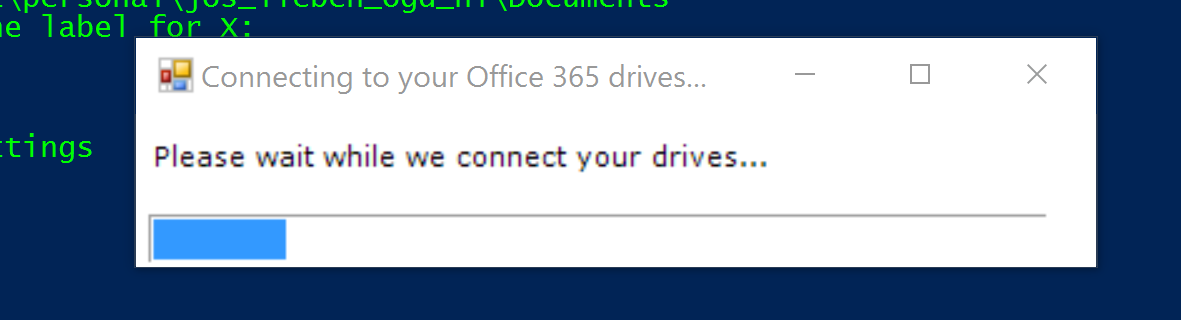
- Enhanced status messages in display
- Username caching (when set to prompt)
- Bugfix in password caching
- Automatic retry in case of 404 error at O365 login page
Get the new version here
Version 2.49 of OneDriveMapper has been released!
Get the new version here
Hi Jos,
we are using the latest version (v2.49) and the customer has recently changed from ADFS 2.0 to 3.0. Since this time, the script does not further detect the ADFS and we have to enter the password manually. Do you have an idea what is causing this or where is the problem?
Thanks & Best Regards,
Benni
Hi Jos,
In a future version of the script, is it possible to add time-stamps to the log-entries?
Thanks for a great script 🙂
Hi Jos-
So close to getting this working. Turned on debug and there is a final error that i will past below. I am on a windows 10 system and we are using SSO via Azure AD Connect to access Office 365. Everything logs in to Office 365 with the script but the mappings bomb out at the end. I have double checked the trusted sites list and all three suggested sites are there. The error recieved is:
Mapping target (1): \bristolccedu-my.sharepoint.com@SSLDavWWWRootpersonalxxxxxxxxxx_bristolcc_eduDocuments
ERROR: detected string error 224 in return code of net use command, this usually means your trusted sites are misconfigured or KB2846960 is missing
failed to contact X: after mapping it to \bristolccedu-my.sharepoint.com@SSLDavWWWRootpersonalxxxxxxxxxxxx_bristolcc_eduDocuments, check if the URL is valid. Error:
System error 224 has occurred.
Access Denied. Before opening files in this location, you must first add the web site to your trusted sites list, browse to the web site, and select the option to login automatically.
Mapping target (1): \bristolccedu.sharepoint.com@SSLDavWWWRootSitePagesHome.aspx
ERROR: detected string error 224 in return code of net use command, this usually means your trusted sites are misconfigured or KB2846960 is missing
failed to contact Y: after mapping it to \bristolccedu.sharepoint.com@SSLDavWWWRootSitePagesHome.aspx, check if the URL is valid. Error:
System error 224 has occurred.
Access Denied. Before opening files in this location, you must first add the web site to your trusted sites list, browse to the web site, and select the option to login automatically.
I xxxxxx’d out the username. Any ideas?
Thank you